
7 Signs Your Business Has Outgrown Spreadsheets
Are spreadsheets holding your construction business back? Learn the 7 critical signs that indicate it's time to upgrade to dedicated construction management software and leave Excel chaos behind.
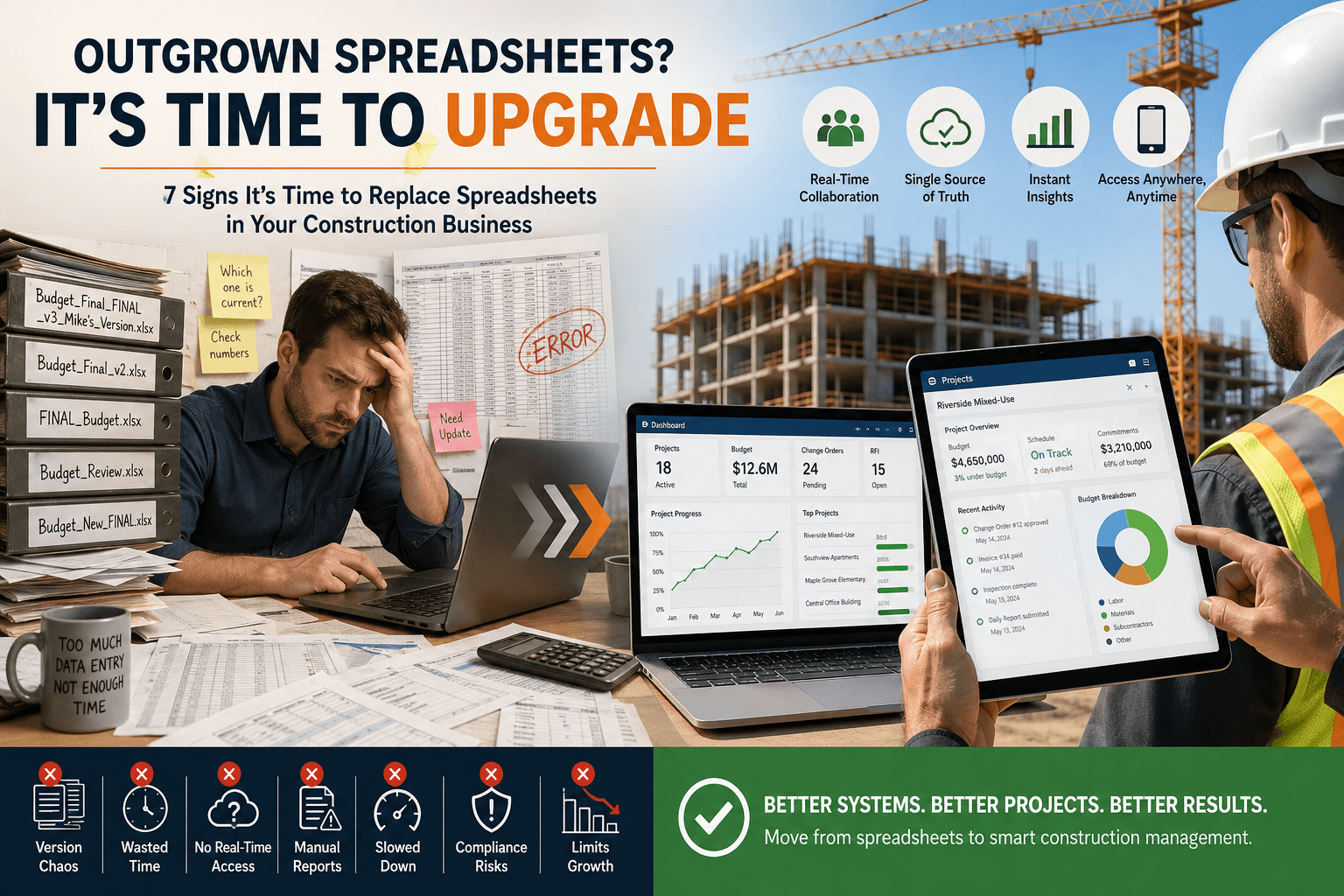
Are you still managing construction projects with endless Excel tabs and shared Google Sheets? You're not alone. According to recent industry data, over 88% of spreadsheets contain errors, and construction professionals waste an average of 5.5 hours per week managing spreadsheet data. While spreadsheets served you well in the early days, there comes a point when they become a liability rather than an asset.
In this article, we'll explore seven clear indicators that it's time to consider a spreadsheet alternative and upgrade to dedicated construction management software. If you recognize three or more of these signs, your business is ready for a more robust solution.
1. Version Control Has Become a Nightmare
Nothing screams "outgrown spreadsheets" louder than having files named "Budget_Final_FINAL_v3_Mike's_Version.xlsx" floating around your team. When multiple team members need to update the same information simultaneously, spreadsheets create chaos rather than clarity.
Multiple versions exist: Team members email different versions back and forth, creating confusion about which is current
Overwritten data: Someone's critical updates get lost when another person saves an older version
No audit trail: You can't track who made changes, when they were made, or why
Constant reconciliation: You spend hours merging data from different versions instead of managing projects
Delayed decisions: Waiting for the "right" version means slower project responses
Modern construction management software provides real-time collaboration with automatic version control, ensuring everyone works from a single source of truth. Research shows that construction teams using dedicated software reduce administrative time by 20-30%.
2. Data Entry Is Eating Your Team's Productivity
If your project managers and site managers spend more time entering data than actually managing projects, you've hit a critical growth threshold. Spreadsheets require manual data entry for nearly everything, creating bottlenecks and frustration.
Duplicate entry across sheets: The same information gets entered into schedules, budgets, and reports separately
Manual calculations: Despite formulas, complex project metrics require constant manual updates
Copy-paste errors: Moving data between sheets introduces mistakes and inconsistencies
Time-consuming updates: A single change ripples through multiple tabs and files
Mobile limitations: Field teams can't easily update spreadsheets from job sites on phones or tablets
💡 Expert Tip
Calculate how many hours per week your team spends on spreadsheet data entry. Multiply that by your average hourly rate to see the real cost of sticking with spreadsheets. This number often justifies software investment immediately.
3. You Can't Access Critical Information in Real-Time
Construction moves fast, and decisions can't wait for someone to update a spreadsheet back at the office. If your team lacks instant access to project data, you're losing competitive advantage and putting projects at risk.
Site delays: Field teams wait for office staff to look up information and call them back
Outdated information: People make decisions based on yesterday's data because spreadsheets aren't updated in real-time
Communication gaps: Information silos form when different teams maintain separate spreadsheets
Missed opportunities: You can't respond quickly to client requests because data isn't readily available
Client frustration: You can't provide immediate project status updates during meetings or calls
Studies indicate that 73% of construction professionals say real-time data access significantly improves project outcomes. When you replace spreadsheets business in construction with integrated software, everyone accesses the same current information from any device, anywhere.
4. Reporting Takes Days Instead of Minutes
If generating reports for stakeholders requires extensive manual work, formula debugging, and data compilation, you're experiencing a classic sign of spreadsheet limitations. Professional reporting capabilities become essential as your business scales.
Manual report building: Every client report requires hours of copying, pasting, and formatting
Formula errors: Broken links and reference errors plague complex reporting spreadsheets
Inconsistent formatting: Reports look different each time because manual processes vary
Limited visualization: Creating charts and graphs requires significant effort and expertise
No automation: You can't schedule automated reports for stakeholders
Construction management software offers one-click reporting with professional templates, automated scheduling, and customizable dashboards that update in real-time.
5. Spreadsheet Size Is Slowing Everything Down
As your business grows, spreadsheets become bloated and sluggish. Files that take 30 seconds to open or frequently crash are clear indicators you've exceeded spreadsheet capacity.
File size limits: Spreadsheets max out at around 1 million rows, limiting historical data storage
Performance issues: Large files freeze, crash, or take minutes to recalculate formulas
Sharing problems: Files are too large to email and slow to sync in cloud storage
Archive challenges: You must archive old data to maintain performance, losing easy access to history
6. Compliance and Documentation Are Becoming Unmanageable
Construction projects require extensive documentation for compliance, safety, and legal protection. When spreadsheets can't adequately track permits, inspections, change orders, and safety protocols, you're exposed to significant risk.
Scattered documentation: Files, photos, and records exist across email, folders, and multiple spreadsheets
Audit difficulties: Finding specific records for inspections or legal matters takes excessive time
Missing signatures: Tracking approvals and sign-offs in spreadsheets is unreliable
Safety concerns: Inadequate tracking of safety inspections and certifications creates liability
Change order chaos: Managing project changes through spreadsheets leads to disputes and losses
Industry research shows that construction companies using dedicated software experience 45% fewer compliance issues compared to those relying on spreadsheets alone.
7. Growing Pains Are Limiting Your Ability to Scale
The ultimate sign you've outgrown spreadsheets is when they actively prevent business growth. If you're turning down projects, avoiding expansion, or can't hire additional teams because your management systems won't scale, it's time for a change.
Can't handle more projects: Adding projects means creating more spreadsheets and increasing confusion
Training bottleneck: New hires need weeks to understand your complex spreadsheet systems
Limited oversight: You can't effectively manage multiple simultaneous projects with spreadsheets
Client perception: Professional clients expect modern project management tools and reporting
Competitive disadvantage: Companies with better systems win bids and complete projects faster
💡 Expert Tip
Start your transition during a slower season or between major projects. This gives your team time to learn the new system without the pressure of critical deadlines, ensuring smoother adoption and better long-term success.
Key Takeaways
Version control chaos and duplicate files indicate spreadsheets can't support collaborative work at your current scale
Excessive data entry wastes valuable time that should be spent on actual project management and client relationships
Real-time access limitations slow decision-making and reduce your competitive advantage in the construction market
Manual reporting processes that take days instead of minutes signal the need for automated reporting capabilities
Growth limitations caused by spreadsheet constraints mean you're leaving money on the table and missing opportunities
Frequently Asked Questions (FAQ)
What is the best spreadsheet alternative for construction businesses?
The best spreadsheet alternative depends on your specific needs, but dedicated construction management software offers integrated features like project scheduling, budget tracking, document management, and real-time collaboration. Look for solutions designed specifically for construction that include mobile access for field teams and automated reporting capabilities.
How long does it take to transition from spreadsheets to construction management software?
Most construction companies complete the transition within 4-8 weeks, including data migration, team training, and system customization. Starting with a pilot project helps reduce risk and allows you to refine processes before full company-wide implementation. The investment in time pays off quickly through improved efficiency and reduced errors.
Will construction management software integrate with our existing tools?
Modern construction management platforms typically integrate with popular accounting software, scheduling tools, and communication platforms. Before selecting a solution, verify it connects with your critical existing systems like QuickBooks, Procore, or Microsoft Project to ensure seamless data flow across your technology stack.
How much does it cost to replace spreadsheets with construction management software?
Construction management software typically costs between $50-$200 per user per month, depending on features and company size. While this seems expensive compared to free spreadsheets, most companies see ROI within 3-6 months through time savings, reduced errors, and improved project margins. Calculate your current spreadsheet-related costs including labor time, errors, and missed opportunities for accurate comparison.
Can we keep using spreadsheets for some functions while adopting new software?
Yes, a hybrid approach works well during transition, but avoid long-term reliance on both systems as it creates data silos. Many companies continue using spreadsheets for simple ad-hoc analysis while moving core project management, scheduling, and budgeting to dedicated software. The goal should be gradual migration to a single integrated system for maximum efficiency.
Conclusion
Recognizing these seven signs means you're ready to replace spreadsheets business in construction with a solution designed for growth, collaboration, and efficiency. Spreadsheets served their purpose when your business was smaller, but continuing to rely on them now actively limits your potential and exposes you to unnecessary risks. The good news is that modern construction management software is more accessible and affordable than ever, with options suitable for companies of all sizes.
Don't wait until a major error, lost project, or compliance issue forces your hand. Take the proactive step of evaluating spreadsheet alternatives now, while you have time to plan a smooth transition. Your team will thank you, your clients will notice the difference, and your bottom line will reflect the improved efficiency. The construction companies winning today are those that embrace purpose-built technology while their competitors struggle with outdated spreadsheet systems.